
Description
Getting Started with Art
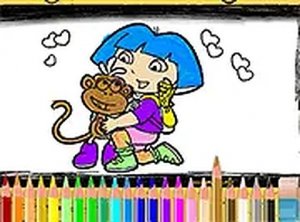
Young artists begin by selecting a picture from a small collection of everyday scenes. Each scene shows a friendly character in a different setting, like a park or a kitchen. After picking a picture, a palette of colors appears along the side of the screen. Children tap or click a color, then tap the area they want to fill. The process is straightforward, letting kids focus on creativity rather than complex controls.
Tools for Creative Freedom
The game includes a full set of basic tools. An undo button reverses the last action, and a redo button restores it if needed. A full-screen option makes the artwork larger and more immersive. The interface works with both mouse and touch input, so children can use it on computers or tablets without frustration. There are no timers or scores, which encourages experimentation without fear of mistakes.
Safe and Accessible Design
This activity runs entirely in a web browser with no downloads or registration required. It is completely free of advertisements and external links, providing a secure environment for children. Parents can let kids play independently, knowing the content is family-friendly. The simple layout and gentle pace make it suitable for beginners and young learners who are still developing fine motor skills.
Encouraging Artistic Growth
Children can save their finished artwork as an image file to share with family or keep for themselves. Starting a new page is easy, allowing kids to try different color combinations and see how their choices affect the overall picture. Regular use may help improve hand-eye coordination and color recognition. The game supports repeated play without boredom, as each session offers a fresh canvas for creative expression.




Player Comments
Sign in to comment
You must be logged in before posting a review or rating.
No account? Create one
No comments yet. Be the first to comment!