Reviews
Description
Game Introduction
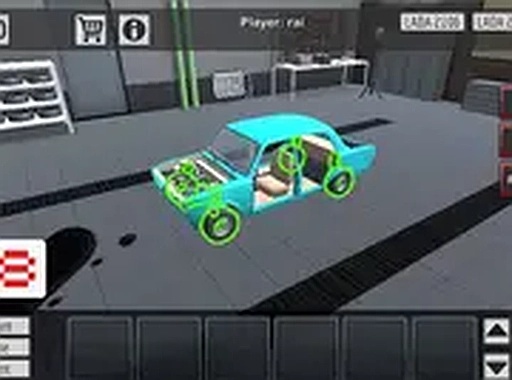
Taz Auto Customizer is a free online game that lets you step into the role of a virtual mechanic and car designer. The main goal is to personalize a vehicle from the ground up by choosing various components such as the frame, coils, tires, engine, and body panels. You can also pick the color that best fits your style. Once your design is complete, you can take your creation for a test drive to see how it performs on the road. This game is perfect for car enthusiasts and anyone who enjoys creative projects. It runs directly in your browser with no downloads needed, and you can play in full screen for a more immersive experience. The game offers a relaxing and rewarding activity suitable for short breaks or longer play sessions. By experimenting with different combinations, you can learn how each part affects the car's appearance and handling. Taz Auto Customizer provides a safe and family-friendly environment where players can explore their imagination and build unique vehicles.
How to Play
Playing Taz Auto Customizer is straightforward. Start by selecting your vehicle and entering customization mode. Use your mouse and keyboard to browse through available options and change parts like the frame, coils, tires, engine, and body panels. You can also adjust the car color to match your preference. Once you are satisfied with your design, click the test drive button to drive your car on the road. Observe how it handles and decide if you want to improve anything. If something feels off, return to customization and tweak the parts. You can repeat this process as many times as you like. The game is designed for desktop computers and works best with a keyboard and mouse.
Game Features
Features of Taz Auto Customizer include the ability to customize the color, frame, coils, tires, engine, and body panels of your vehicle. You can test drive your creation to evaluate its performance. The game is free to play with no downloads required, and it offers a full screen mode for a better view. It provides a relaxing and rewarding activity suitable for short breaks or longer play sessions. The game is family-friendly and contains no violent or inappropriate content.
Tips for Success
To get the most out of Taz Auto Customizer, experiment with different part combinations to see how they affect handling and appearance. Start with a balanced setup—such as standard tires and a mid-range engine—to get a feel for the default performance. Pay attention during test drives: if the car feels unstable, try adjusting the coils or tires. Don't be afraid to start over if a design isn't working; the process is meant to be iterative. Finally, take your time with color and panel choices to create a car that reflects your personal style.