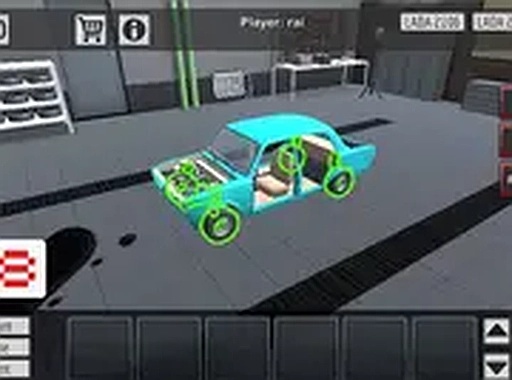
Taz Mechanic Simulator: Car Customization Game
TAP TO PLAY

Taz Mechanic Simulator: Car Customization Game

Racing Simulation
Developer: Dimension Studio
Published: 2024-02-02
Updated: 2026-06-06

Reviews

Taz Mechanic Simulator offers a satisfying cycle of customization and testing. You can change many parts and colors, then immediately drive your creation. The controls are intuitive, and the game runs smoothly in a browser. It encourages experimentation and replayability because you can always refine your design. This is a clean, family-friendly game that provides genuine value for anyone interested in cars or creative building.

Description

Game Introduction

Taz Mechanic Simulator is a free online game that puts you in the role of a virtual mechanic and car designer. The core objective is to customize a vehicle from the ground up, selecting parts such as the color, frame, coils, tires, engine, and body panels. After building your ideal car, you can take it for a test drive to see how it performs. This game appeals to car enthusiasts and anyone who enjoys creative projects. It runs directly in your browser with no downloads needed, and you can play in full screen for a more immersive experience.

How to Play

Playing Taz Mechanic Simulator is straightforward. Start by selecting your vehicle and entering customization mode. Use your mouse and keyboard to browse through available options and change parts like the frame, coils, tires, engine, and body panels. You can also adjust the car color to match your style. Once you are satisfied with your design, click the test drive button to drive your car on the road. Observe how it handles and decide if you want to improve anything. If something feels off, return to customization and tweak the parts. You can repeat this process as many times as you like. The game is designed for desktop computers and works best with a keyboard and mouse.

Game Features

Features of Taz Mechanic Simulator include the ability to customize the color, frame, coils, tires, engine, and body panels of your vehicle. You can test drive your creation to evaluate its performance. The game is free to play with no downloads required, and it offers a full screen mode for a better view. It provides a relaxing and rewarding activity suitable for short breaks or longer play sessions.

Tips for Success

To get the most out of Taz Mechanic Simulator, experiment with different part combinations to see how they affect handling and appearance. Start with a balanced setup—such as standard tires and a mid-range engine—to get a feel for the default performance. Pay attention during test drives: if the car feels unstable, try adjusting the coils or tires. Don't be afraid to start over if a design isn't working; the process is meant to be iterative. Finally, take your time with color and panel choices to create a car that reflects your personal style.

Compatibility

• OS: Windows 10+, macOS 11+, iOS 14+, Android 10+
• Browsers: Chrome 100+, Safari 15+, Edge 100+, Firefox 100+
• Not compatible with Internet Explorer
Tested on real devices ✅ works as expected
Faq
Is Taz Mechanic Simulator free to play?
Yes, Taz Mechanic Simulator is completely free to play. There are no hidden costs or subscription fees. You can access it directly in your web browser without any downloads, making it easy to start customizing cars right away.
Can I play this game on a mobile device or tablet?
The game is designed for desktop computers and works best with a keyboard and mouse. It may not be fully optimized for mobile devices or tablets, so for the best experience, we recommend playing on a laptop or desktop computer.
Do I need to download any software to play?
No, you do not need to download any software. Taz Mechanic Simulator runs directly in your browser. Simply visit the game page, and you can start customizing and test driving cars immediately without any installations.
How many different vehicles can I customize?
The game allows you to customize a vehicle from the ground up. While the exact number of base vehicles is not specified, you can experiment with various part combinations and colors to create many unique designs. You can also start over at any time to try a completely new look.
Can I save my custom car designs?
The available information does not specify whether you can save designs. Typically, browser-based games of this type may save progress using cookies or local storage, but for specific details, you should check the game's settings or help section while playing.
Is there a time limit or score in the game?
No, there is no time limit or scoring system mentioned. Taz Mechanic Simulator is a relaxed, creative experience. You can spend as much time as you like customizing your car and test driving it repeatedly without any pressure to achieve a high score.
Advertisement