Reviews
Description
Game Introduction
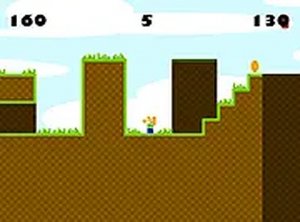
Ball Thief vs Police Online Arcade Game is a 2D platformer where you play as a clever thief. Your main goal is to collect bags of money while avoiding police officers and deadly spikes. The game starts with 5 lives, and each touch from an officer or spike costs one life. With 8 levels to complete, the difficulty increases gradually, offering a satisfying challenge. This browser-based game works smoothly on mobile and desktop without any downloads. It is completely free to play and supports full screen mode for a more immersive experience. If you enjoy lighthearted adventure games, this is a great pick for family-friendly fun.
How to Play
To play Ball Thief vs Police, use the arrow keys or on-screen controls to move left, right, and jump. Your main task is to navigate each level, grabbing all money bags while staying away from patrolling police officers and sharp spikes. Touching a police officer or spike costs one life, and you start with only 5 lives. The game ends when you lose all lives, so plan your route carefully. As you advance through the 8 levels, the challenges become tougher with more police and spikes. Timing your jumps and movements is key to success. You can also play in full screen mode for a better view. The simple and addictive gameplay keeps you coming back for more.
Game Features
Game features include 8 levels with increasing difficulty. You have 5 lives to complete the game. The controls are simple and responsive on both keyboard and touchscreen. Full screen mode is available for a better view. The game runs smoothly on mobile devices and desktop browsers. No download or registration is required. It is completely free to play.
Tips for Success
To succeed in Ball Thief vs Police, focus on careful planning. Study each level layout to find the safest path to collect money bags. Use your jumps wisely to avoid spikes and police. Patience is important; rushing often leads to losing lives. Practice makes perfect, so replay levels to learn enemy patterns. Manage your lives carefully, as you only have 5 for the entire game. Use full screen mode for better visibility. Stay calm and enjoy the challenge.