Slime Simulator ASMR Craft
TAP TO PLAY

Slime Simulator ASMR Craft

Creative Relaxation
Developer: Gate Creations
Published: 2026-02-05
Updated: 2026-06-12

Reviews

DIY Slime Simulator ASMR is a delightful way to unwind. The 3D graphics and responsive touch make the slime feel real. Mixing colors and adding decorations is intuitive, and the ASMR sounds are genuinely calming. There is no time limit, so you can experiment freely. It is a great choice for kids and adults who want a mess-free creative activity. The game runs smoothly on both mobile and desktop, making it easy to play anytime. Highly recommended for relaxation.

Description

Game Introduction

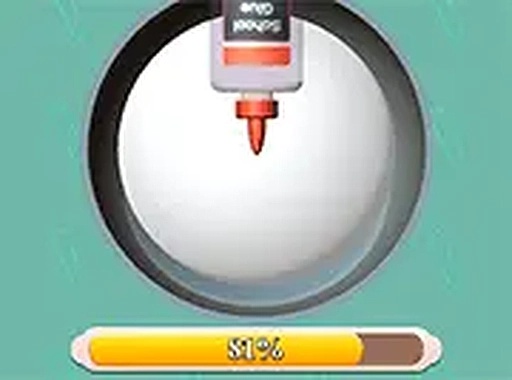
DIY Slime Simulator ASMR Online Game is a 3D simulation game where you can create your own colorful slime from scratch. The core objective is to mix and decorate slime in a virtual bowl, using a variety of dyes and decorations to make each creation unique. What makes this game special is the soothing ASMR sounds that play when you pinch the slime, providing a relaxing and sensory experience. It is designed for kids and anyone who enjoys creative play without any mess, and it runs smoothly in your browser on both mobile and desktop devices with no downloads needed.

How to Play

Playing is simple and intuitive. You start by selecting a bowl for your slime. Then, use the on-screen controls to add a base slime to the bowl. Next, pick a dye color from the palette and pour it in, watching as the color spreads and mixes. You can add decorations like glitter, beads, or charms to personalize your slime. Use your mouse or touch to stir and mix the ingredients until they are well combined. Once your slime is ready, you can pinch it to hear the satisfying ASMR sounds. The game responds to your touch, making each interaction feel real. There are no time limits or scores, so you can play at your own pace.

Game Features

Creative slime mixing with multiple dye colors and decorations. Relaxing ASMR sounds that respond to touch. 3D simulation with realistic slime physics. No downloads needed, works in any browser. Suitable for all ages, with no violence or inappropriate content. The game encourages endless experimentation with different color and decoration combinations.

Tips for Success

To get the most out of the game, try experimenting with different color combinations to discover new shades. Don't be afraid to add many decorations—the more you add, the more unique your slime becomes. Take your time mixing to ensure the colors and decorations are evenly distributed. Use the pinch feature frequently to enjoy the relaxing ASMR sounds. Since there are no time limits, you can relax and enjoy the creative process without pressure.

Compatibility

This H5 game runs smoothly on:
• Desktop computers (Windows / Mac) • Mobile phones (iPhone / Android)
• Tablets (iPad / Android)
🌐 Best experienced with Chrome, Safari, or Edge
Faq
Is this game free to play?
Yes, DIY Slime Simulator ASMR Online Game is free to play in your browser. There are no downloads or purchases required to start creating slime and enjoying the ASMR sounds.
Can I play this game on my phone?
Yes, the game works on both mobile and desktop devices. It runs smoothly in any modern browser, so you can play on your smartphone or tablet without needing to install anything.
Do I need an internet connection to play?
Since the game runs in your browser, an internet connection is required to load the game initially. Once loaded, some features may work offline, but for the full experience, a stable connection is recommended.
Is there a way to save my slime creations?
The game may allow you to save your creations, but this feature is not guaranteed. Typically, browser-based simulation games offer a save option or let you take screenshots to remember your favorite slime designs.
Are there any in-app purchases or ads?
The game is designed to be family-friendly and may include optional ads, but there are no mandatory purchases. You can enjoy the full creative experience without spending money.
Can I share my slime creations with friends?
Sharing features are not explicitly mentioned, but many browser games allow you to take screenshots or share your creations via social media. You can always show your friends by sharing your screen or saving an image.
Advertisement