Reviews
Description
Game Introduction
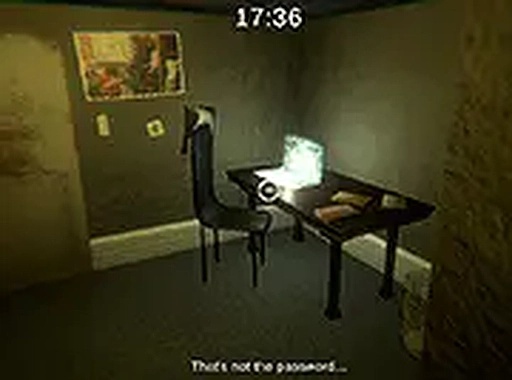
Locked Room Puzzle Quest is an online puzzle game that places you inside a locked apartment. Your goal is to find the exit and escape within 20 minutes. The room is filled with various objects, hidden clues, and puzzles that require careful observation and logical thinking. Every item you find may hold the key to your freedom. The game uses simple point-and-click controls, making it easy to start but challenging to master. Designed for desktop browsers, it offers a fully immersive 3D environment that draws you into the escape room experience. The time limit adds urgency without overwhelming the player, creating a balanced mix of tension and fun. Whether you are new to escape games or a seasoned player, this game provides a satisfying mental workout in a compact session.
How to Play
To play Locked Room Puzzle Quest, use your mouse to look around the 3D apartment. Click on objects to inspect them, pick up items, or interact with the environment. Some puzzles require combining items from your inventory or using them in specific locations. Pay attention to details like patterns, numbers, or hidden compartments. The game is designed for desktop computers, so a mouse and keyboard offer the best control. You have 20 minutes on the clock, so stay focused. If you get stuck, revisit areas you have already explored or try using items in new ways. The goal is straightforward: locate the exit and escape before time runs out.
Game Features
Locked Room Puzzle Quest is free to play in your browser with no downloads needed. It features full 3D graphics that create a realistic escape room setting. The 20-minute challenge keeps each session short and intense. You can play in full screen mode for a more immersive experience. The controls are simple and intuitive, making the game accessible to players of all skill levels.
Tips for Success
This game offers a quick mental challenge that fits into a short break. The puzzles are fair and rewarding, and the time limit adds just the right amount of pressure. It is a great way to sharpen your problem-solving skills while having fun.