Safe Light: Shadow Escape
TAP TO PLAY

Safe Light: Shadow Escape

Puzzle Strategy
Developer: Necro Reign Digital
Published: 2026-01-02
Updated: 2026-07-04

Reviews

Safe Light: Shadow Escape offers a unique blend of strategy and suspense. The sound design is excellent, creating a tense atmosphere that keeps you alert. The game is free, browser-based, and requires no download. It's a great choice for players who enjoy a good challenge and quick thinking.

Description

Game Introduction

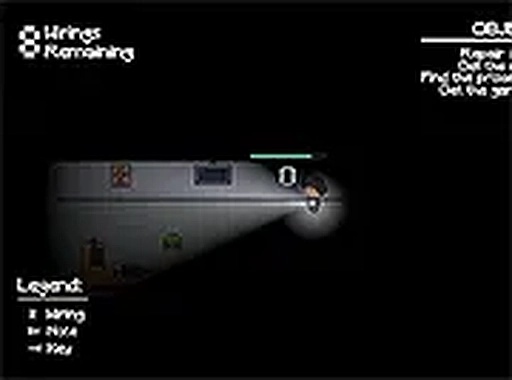
Safe Light: Shadow Escape is a browser-based adventure puzzle game that places you in a dark, mysterious location. Your goal is to avoid shadowy entities that lurk in unlit areas by staying in well-lit spots and moving carefully. The game uses subtle sound cues to signal danger, creating a tense atmosphere. Designed for desktop play, it runs directly in your browser with no download required. Full screen mode enhances the experience, making each session feel more engaging. The game focuses on psychological tension and quick thinking, offering a unique blend of strategy and suspense suitable for players who enjoy a good challenge.

How to Play

To play Safe Light: Shadow Escape, use your keyboard and mouse on a desktop computer. Start in a dark area and move to find safe spots. Listen for sounds that indicate shadowy entities are nearby. When you hear these cues, avoid corridors and move toward light sources, as light keeps the entities away. Your goal is to survive as long as possible by avoiding contact. The game is simple to learn but requires quick reactions and smart decisions. Play in full screen mode for a more intense experience. Since the game is free and browser-based, there is no need to download anything. Start the game and face the challenge.

Game Features

Immersive gameplay that builds tension through sound and lighting. Free to play directly in your browser without any downloads. Full screen mode for a more engaging experience. Tense sound design that signals danger and enhances the atmosphere.

Tips for Success

Stay calm and listen carefully for audio cues that warn of nearby threats. Prioritize moving toward light sources, as they provide safety. Avoid running blindly into dark areas; plan your route to minimize exposure. Practice quick decision-making to react to sudden sounds. Play in a quiet environment to better hear subtle audio signals. Repeated attempts will help you learn the layout and improve your survival time.

Compatibility

Play on Any Device | Chrome / Safari / Edge Recommended
Faq
What is the minimum screen resolution required for Safe Light: Shadow Escape?
The game is designed for desktop play and works best with a screen resolution of at least 1024x768 pixels. Lower resolutions may cause display issues, but the game will still function. Full screen mode is recommended for the best experience.
Can I play Safe Light: Shadow Escape on a mobile device or tablet?
Safe Light: Shadow Escape is specifically designed for desktop computers. It may not function properly on mobile devices or tablets due to the need for keyboard and mouse input. For the best experience, play on a desktop or laptop computer.
Is there a way to adjust the sound volume in the game?
The game does not have a built-in volume control. You can adjust your computer's system volume or browser volume settings to manage the sound. Playing in a quiet environment helps you hear the subtle audio cues more clearly.
Does Safe Light: Shadow Escape save my progress if I close the browser?
Safe Light: Shadow Escape is a browser-based game that may not save progress automatically. Each session starts from the beginning. However, repeated play helps you learn the layout and improve your survival time. Check the game's settings for any save options.

Are there any in-game purchases or ads in Safe Light: Shadow Escape?
Safe Light: Shadow Escape is completely free to play with no in-game purchases. The game may display standard web ads to support its development. There are no pay-to-win elements or premium content. You can enjoy the full game without spending money.
What should I do if the game runs slowly or lags on my computer?
If the game runs slowly, try closing other browser tabs or applications to free up system resources. Ensure your browser is up to date. Playing in full screen mode may also improve performance. If issues persist, restart your browser or computer.
Advertisement