
Description
Getting Started with Your Space
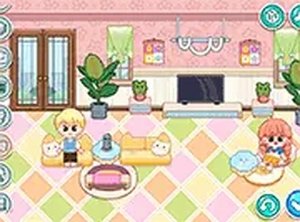
When you first open this room planner, you are presented with an empty rectangular area that represents a typical living area. The interface provides a catalog of furniture pieces, wall colors, flooring options, and smaller decorative objects. You can click on any item to see a preview, then drag it into the room. The grid-based placement system helps you align furniture neatly, and you can rotate items by tapping a button. The color picker lets you change the shade of walls, carpets, and even some furniture surfaces. This straightforward setup means you can begin arranging within seconds, without any tutorial or prior experience.
Creative Freedom and Style Choices
The game offers a broad selection of design styles. You can choose from modern minimalist pieces with clean lines, rustic wooden furniture with a warm finish, or eclectic items that mix patterns and textures. Each category contains several variations, so you are not limited to a single look. For example, the sofa section includes options like a leather chesterfield, a fabric sectional, or a compact loveseat. You can also layer rugs, add curtains, and place wall art to give the room personality. The color palette tool allows you to experiment with bold accent walls or neutral tones, and you can undo any change instantly.
Saving and Sharing Your Creations
Once your room arrangement feels complete, you can save it to your profile. The game stores your designs so you can revisit them later or make adjustments. A sharing feature lets you post your finished room to a community gallery where other players can view and like your work. You can also browse designs created by others for inspiration. This social aspect adds a layer of motivation, as you can see how different people approach the same empty space. The gallery is moderated to keep it family-friendly, and you can report any inappropriate content.
Tips for Building a Cohesive Look
To create a room that feels balanced, start by choosing a dominant color for the walls or a large piece of furniture. Then pick two or three complementary shades for smaller items. Avoid placing all large furniture against one wall; instead, distribute pieces around the room to create conversation areas. Use lighting fixtures, such as floor lamps or pendant lights, to add warmth. You can also add plants or bookshelves to fill empty corners. If something does not look right, you can remove it and try a different combination. The game encourages experimentation, so do not be afraid to try unusual pairings.
Why This Game Appeals to All Ages
The room planner is designed to be accessible to children, teenagers, and adults. The controls are simple point-and-click, and there is no time limit or scoring system. This makes it a relaxing activity rather than a competitive challenge. Parents can use it to introduce basic design concepts like color harmony and spatial arrangement. Older players may enjoy recreating their own living rooms or planning a future renovation. Because the game runs entirely in a browser, it works on computers, tablets, and phones without installing anything. This convenience makes it easy to pick up during a short break or a longer creative session.


Player Comments
Sign in to comment
You must be logged in before posting a review or rating.
No account? Create one
No comments yet. Be the first to comment!