Reviews
Description
Game Introduction
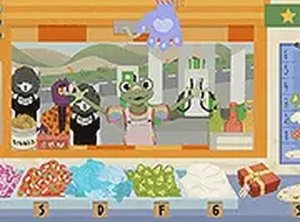
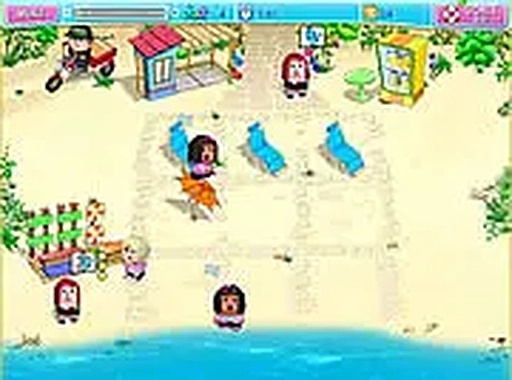
Beach Party Server Simulation is a delightful online game that places you in the role of a server at a vibrant beach. The beach is filled with quirky dolls who want to relax and enjoy their day. Your task is to provide them with the services they need, from serving refreshing drinks to fulfilling their unique requests. Each interaction brings a moment of fun and laughter. The game is designed for desktop play, ensuring a smooth experience using a keyboard or mouse. It is completely free to play and runs directly in your browser. For a more immersive feel, you can switch to full screen mode and enjoy the cheerful beach party atmosphere. The core objective is to keep the dolls happy by attending to their needs promptly. What makes this game unique is its lighthearted setting and the charming personalities of the doll characters. The game focuses on simple, enjoyable tasks rather than complex challenges, making it a perfect choice for a quick break or a longer relaxing session. The bright visuals and cheerful music enhance the overall experience, creating a welcoming environment for players of all ages.
How to Play
To play Beach Party Server Simulation, players typically use their mouse to interact with the dolls and fulfill their requests. You may need to click on items or drag them to the dolls as needed. The game is straightforward and perfect for players of all ages. Simply follow the on-screen prompts to serve the dolls and keep the beach party going. Since it is designed for desktop, make sure you are using a computer for the best experience. No downloads are required. Just open your browser and start playing. The controls are intuitive, allowing you to quickly learn how to manage multiple requests. The game provides clear visual cues to guide your actions, ensuring you always know what to do next. As you progress, you may encounter different types of requests that require varying levels of attention, but the core mechanics remain simple and accessible.
Game Features
Beach Party Server Simulation includes a fun beach theme with bright, cheerful visuals. The game features quirky doll characters that add personality to each request. Easy mouse controls are intuitive for all ages, making the game accessible to everyone. A full screen mode is available for a more engaging experience. The game is free to play with no downloads or installations needed, allowing you to start playing instantly in your browser. The lighthearted atmosphere and simple mechanics make it a great choice for casual gaming. The game may also include a variety of requests that keep the gameplay fresh and entertaining.
Tips for Success
To succeed in Beach Party Server Simulation, pay close attention to each doll's request and respond quickly. Prioritize tasks based on the order they appear. Practice using the mouse to click and drag efficiently. Enjoy the lighthearted atmosphere and don't rush—the game is meant to be a relaxing break. Familiarize yourself with the different types of requests to anticipate what each doll might need. Staying calm and focused will help you manage the party smoothly and keep the dolls happy.