Phone Repair Simulator: Fix and Restore
TAP TO PLAY

Phone Repair Simulator: Fix and Restore

Simulation
Developer: Monk Edge Creations
Published: 2025-04-05
Updated: 2026-06-26

Reviews

Phone Repair Simulator: Fix and Restore offers a relaxing yet educational experience for all ages. The drag-and-drop controls are intuitive, and the hint system prevents frustration. Each level presents a new challenge, from battery swaps to screen replacements. It's a great way to learn electronics fundamentals without any pressure. The browser-based play makes it instantly accessible.

Description

Game Introduction

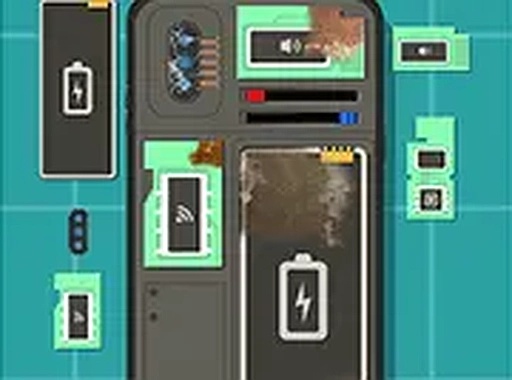
Phone Repair Simulator: Fix and Restore is a simulation game that places you in the role of a phone repair technician. The core objective is to diagnose and fix various issues presented in each level, such as a faulty battery or a broken charging port. You carefully inspect the device, identify the problem, replace damaged components, and restore the phone to full working order. This game offers a calm, educational experience that introduces basic electronics concepts in a family-friendly environment. It runs directly in your browser with no downloads required, making it easy to start playing anytime. The game is designed to be accessible to players of all ages who are curious about how phones work and enjoy hands-on problem-solving.

How to Play

Players use their mouse or touch screen to interact with the phone. The process typically begins by carefully opening the device, removing the back cover and battery. Then, you inspect each component—like the screen, camera, or charging port—to identify what is broken. If a part is damaged, you drag it to a replacement area. You may also use a cleaning tool to remove dust and apply thermal paste where needed. Finally, you reassemble the phone in the correct order and power it on to see if it works. Hints are available if you get stuck, and you can replay levels to improve your speed.

Game Features

Phone Repair Simulator: Fix and Restore includes multiple levels with unique challenges, interactive drag-and-drop controls, and a satisfying fix-and-finish cycle. Hints help when you are stuck, and you can replay levels to improve your performance. The game provides a realistic phone repair simulation in a safe, educational setting. It is designed to be both engaging and informative, making it suitable for players who enjoy learning through play.

Tips for Success

Take your time inspecting each part carefully before replacing anything. Use hints if you are unsure about the next step. Practice reassembling the phone in the correct order to build speed. Cleaning dust and applying thermal paste properly can prevent future issues. Replaying levels helps you learn the process and improve your efficiency.

Compatibility

• OS: Windows 10+, macOS 11+, iOS 14+, Android 10+
• Browsers: Chrome 100+, Safari 15+, Edge 100+, Firefox 100+
• Not compatible with Internet Explorer
Tested on real devices ✅ works as expected
Faq
Is Phone Repair Simulator: Fix and Restore free to play?
Yes, the game is free to play directly in your browser with no downloads required. There may be optional in-game purchases, but the core experience is accessible without spending money.
What devices can I play Phone Repair Simulator: Fix and Restore on?
The game runs in any modern web browser on desktop computers, laptops, tablets, and smartphones. It supports both mouse and touch screen controls for easy interaction.
Does the game require internet to play?
Yes, since it runs in your browser, an internet connection is needed to load the game. Once loaded, some features may work offline, but a stable connection is recommended for the best experience.
How many levels are in Phone Repair Simulator: Fix and Restore?
The game includes multiple levels, each presenting a unique phone issue to solve. The exact number may vary, but players can expect a variety of challenges that increase in complexity as they progress.
Can I play Phone Repair Simulator: Fix and Restore with friends?
The game is designed as a single-player experience. However, you can compare your completion times or share tips with friends who also play. There is no multiplayer mode.
What happens if I make a mistake during a repair?
If you make an error, the phone may not power on correctly. You can restart the level and try again. The game provides hints to guide you, so mistakes are part of the learning process.
Advertisement